- 主頁 /
- 書籍 /
- Children Books /
- Children Computer & Technology Books /
- Entertainment & Games /
- Scratch 3: The Practical Guide To Create Game...
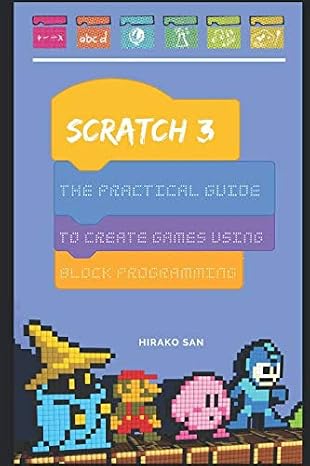
Scratch 3: The Practical Guide To Create Games Using Block Programming
TWD 1532
Price Details
Excluding Shipping & Custom charges ( Shipping and custom charges will be calculated on checkout )
*All items will import from 美國
QTY:
Ubuy works hard to protect your security and privacy. Our advanced payment security system ensures confidentiality by encrypting your information during transmission using AES (Advanced Encryption Standards) and SSL (Secure Socket Layer) protocols. Your payment details are 100% secure as we do not share your payment details with third party sellers.
Master algorithms and create amazing projects with the most powerful coding language for kids.
Fast
Shipping
Free
Return*
Secure Packaging
100% Original Products
PCI DSS Compliance
ISO 27001 Certified

What Stands Out
產品詳情
| Item Weight | 1 lbs (450 grams) |
Who Should Buy?
-
Beginner Programmers
Ideal for those new to programming and looking to learn through fun game creation with block programming.
-
Educators and Teachers
Excellent resource for instructors teaching programming concepts to children, enhancing classroom engagement through interactive learning.
-
Parents and Guardians
Helpful for parents seeking to introduce their children to coding in a creative and enjoyable manner.
-
Advanced Developers
Not suitable for experienced programmers looking for complex coding challenges or in-depth programming language tutorials.
-
Professionals in Tech
May not meet the needs of industry professionals who require advanced programming concepts or professional development resources.
-
Non-Tech Enthusiasts
Not recommended for individuals with little interest in technology or game development, as the content may feel irrelevant.
產品描述
Scratch 3: The Practical Guide To Create Games Using Block Programming
客戶問答
-
問題:
What is Scratch 3 and how does it differ from previous versions?
Answer: Scratch 3 is a visual programming language aimed at beginners, particularly in creating interactive games and animations. Unlike its predecessors, Scratch 3 operates in a browser, enhancing accessibility and allowing real-time collaboration. Key improvements include a more expansive library of sprites and sounds, as well as support for physical coding devices. This makes it more intuitive for users to create and share their projects. If you're looking to introduce children to programming or enhance your skills, Scratch 3's engaging interface makes it a fantastic choice. -
問題:
What types of projects can I create using Scratch 3?
Answer: With Scratch 3, you can create a wide range of projects, including interactive games, animated stories, and educational tools. The robust block programming system allows you to animate characters, add sound, and create complex game mechanics without needing to write traditional code. For example, a user might design a simple platformer game where players navigate challenges, making it a fun way to learn programming logic. This versatility makes Scratch 3 perfect for educators and hobbyists alike. -
問題:
Is Scratch 3 suitable for beginners?
Answer: Absolutely! Scratch 3 is specifically designed for beginners, including children aged 8 and older. Its visual interface uses color-coded blocks that represent different programming concepts, making it easier to understand the logic of programming. The gradual introduction of concepts ensures that learners can progress at their own pace. For parents and educators, it provides a fantastic framework for introducing coding skills in a fun and engaging way. Many schools incorporate Scratch into their curriculum for this very reason. -
問題:
Do I need any prior programming knowledge to use Scratch 3?
Answer: No prior programming knowledge is required to use Scratch 3. Its block-based coding system is designed for users of all skill levels. As you work through the tutorial projects provided within the platform, you'll learn essential programming concepts like loops, conditionals, and variables in a hands-on manner. This allows you to build a solid foundation in programming while creating projects that reflect your ideas. It's a great starting point for anyone interested in learning to code. -
問題:
Can Scratch 3 be used for educational purposes?
Answer: Definitely! Scratch 3 is widely used in educational settings to teach programming concepts and computational thinking. Educators can create lesson plans that incorporate gamified learning, engaging students through interactive storytelling or coding challenges. Schools and community programs often use Scratch to foster teamwork and creativity among students. With resources like tutorials and community sharing, Scratch helps students develop problem-solving skills in an enjoyable environment while preparing them for future technology learning. -
問題:
What devices are compatible with Scratch 3?
Answer: Scratch 3 is compatible with any device that has a modern web browser, including desktops, laptops, tablets, and Chromebooks. This accessibility means that users can create and share projects from virtually anywhere, as long as they have internet access. Additionally, Scratch can be used with offline editor software that is downloadable for users who may have inconsistent internet connections. This flexibility makes it a useful tool for classrooms and home learning alike. -
問題:
Are there any community resources for learning Scratch 3?
Answer: Yes, Scratch has a vibrant community where users can share projects, ask questions, and access a plethora of resources. The official Scratch website provides tutorials, guides, and forums where users can gain insight into coding techniques and project ideas. You can also explore projects created by others for inspiration or join themed challenges to enhance your skills. Leveraging community support can greatly accelerate your learning process and lead to more innovative project designs. -
問題:
What age group is Scratch 3 intended for?
Answer: Scratch 3 is primarily designed for ages 8 and up, making it suitable for both children and adults new to programming. The platform encourages creativity, collaboration, and critical thinking, which are valuable skills for learners of all ages. Many educators opt to use Scratch in classes for younger students, while older students may use the platform to enhance their programming knowledge. The gradual complexity in project building helps cater to users across various age groups. -
問題:
Can I create multi-user projects in Scratch 3?
Answer: Scratch 3 itself does not support real-time multi-user functionality within a single project, but users can collaborate by sharing project files or working on individual components that later combine into a larger project. The platform's online community allows for collaboration, where users can remix and build upon others' work, fostering a sense of teamwork and joint creativity. This is especially beneficial in classroom settings, where group projects can flourish. -
問題:
Where can I buy Scratch 3: The Practical Guide To Create Games Using Block Programming in Taiwan?
Answer: You can purchase Scratch 3: The Practical Guide To Create Games Using Block Programming from Ubuy. Ubuy offers a user-friendly online shopping experience with a wide selection of books, including educational resources like this guide. With Ubuy, you can easily find the product, place your order, and receive it directly, making it convenient for both educators and aspiring programmers alike.
Entertainment & Games Editorial Review
Customer Reviews & Ratings
-
5 星
100%
-
4 星
0%
-
3 星
0%
-
2 星
0%
-
1 星
0%
評論這個產品
和其他客戶分享您的想法
Platform Trust & Buyer Confidence
“The product received very good packaging & safe…Thank You”
“Accurate delivery timing given”
“Not madly expensive like I thought, and much quicker than promised.”
“Never dealt with Ubuy before, but everything worked out great. Seamless cross border purchasing and shipping. Thanks!”
“The process was smooth, with clear communication and timelines. This was my 1st purchase and I am really impressed. I will definitely be coming back.”
Product Price History
重要資訊
- 限制:對於國際運輸的產品,請注意任何製造商保修可能無效;製造商服務選項可能不可用;產品手冊、說明和安全警告可能不是目的地國家的語言;產品(及隨附材料)的設計可能不符合目的地國家的標準、規範和標籤要求;並且產品可能不符合目的地國家的電壓和其他電氣標準(如果適用,需要使用適配器或轉換器)。收件人有責任確保產品可以合法進口到目的地國家。當從Ubuy或其關聯公司訂購時,收件人是記錄在案的進口人,並且必須遵守目的地國家的所有法律和法規。
- 由於Ubuy是一個全球搜索引擎,因此並非Ubuy上列出的所有產品都在出售。產品受出口/貿易法規的約束。
TWD 1532
立即訂購並活動它 週五, 七月 10
This item is not restrict in my country.(Please click on above link if this item is not restrict in your country, So our team will review and allow.)
QTY:
Ubuy works hard to protect your security and privacy. Our advanced payment security system ensures confidentiality by encrypting your information during transmission using AES (Advanced Encryption Standards) and SSL (Secure Socket Layer) protocols. Your payment details are 100% secure as we do not share your payment details with third party sellers.
特色和優勢
- Engaging step-by-step guide to learn coding.
- Focus on creating games and animations with Scratch.
- Introduces the Scratch interface effectively.
- Teaches how to create a simple game in just 1 hour.
- Comprehensive block descriptions for better understanding.
- Includes a variety of popular game examples for practice.